
The estimate maker app that works where you work
Quotea lets you put together a clean, professional estimate in a couple of minutes, text or email it to your customer, and turn it into an invoice the moment they say yes.
Available now for iPhone and iPad. Android coming soon.
Write the estimate on site, not at the kitchen table
Too many estimates get written at night, after the site visit, and sent a day or two later. By then the customer may have hired someone else.
With Quotea you build the estimate right after you measure: pick the customer, add line items with quantity, unit and rate, and the app does the math, tax included. Your customer gets a PDF with your logo, business details and payment options, and you can see at a glance which estimates are pending, won or lost.
Everything a good estimate needs
- Saved items and servicesStore your usual rates (labor, trip charge, materials) and add them in one tap.
- Quantities, units and discountsSquare feet, hours, units or flat-rate jobs, with a percentage or fixed discount per line.
- Sales tax your wayAdd sales tax or any other tax as a percentage of the subtotal, or leave it off for tax-exempt work.
- Valid-until date and follow-upsSet an expiry date and a reminder to call the customer back.
- Customer signatureYour customer approves by signing with a finger on your screen, and the signature goes on the PDF.
- Photos and notesAttach job photos or notes and choose whether they appear in the PDF.
- Six templates, ten colorsChange the look of the document before sending it and preview it instantly.
- Estimate to invoiceWhen the job is approved, convert the estimate into an invoice with the same line items.
Example: drywall and painting estimate
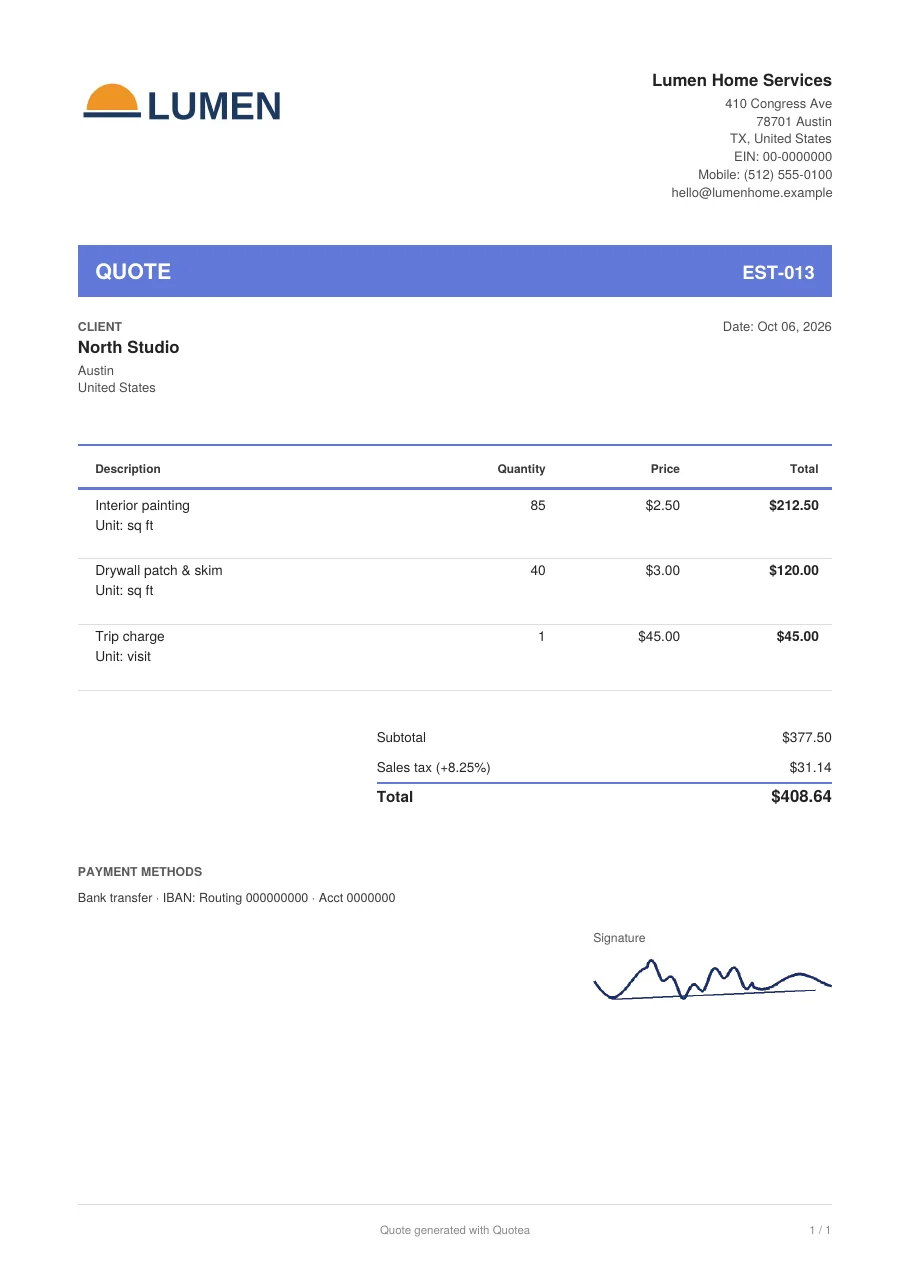
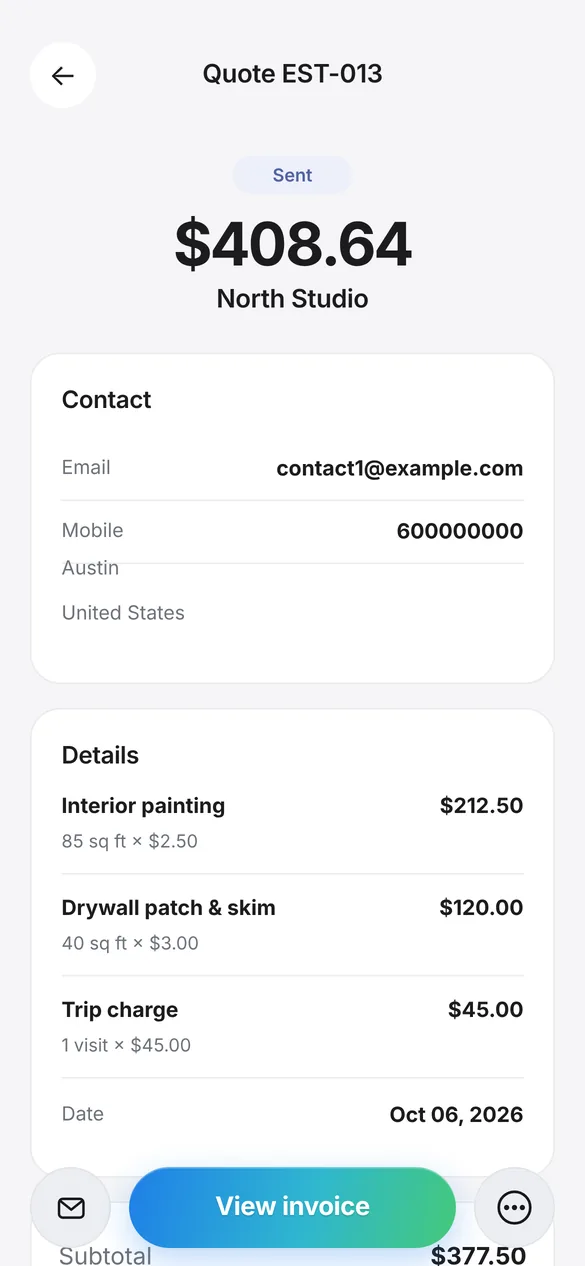
Here’s an estimate created with Quotea: three line items, sales tax at 8.25% and the total worked out for you.
| Item | Qty | Rate | Amount |
|---|---|---|---|
| Interior painting | 85 sq ft | $2.50 | $212.50 |
| Drywall patch & skim | 40 sq ft | $3.00 | $120.00 |
| Trip charge | 1 visit | $45.00 | $45.00 |
| Subtotal | $377.50 | ||
| Sales tax (8.25%) | $31.14 | ||
| Total | $408.64 | ||
Fictional data. Screenshot and PDF generated with the real app.
How to make an estimate with Quotea
Add your business details
Name, address, tax ID, logo and payment options. You only do this once.
Pick or add the customer
Type them in or import them from your phone contacts.
Add line items
From your saved items or as new lines with quantity, unit and rate.
Preview and send
Check the PDF, switch templates if you like and share it by email, text or WhatsApp.
Follow up
Mark the estimate as sent, won or lost and set a reminder.
Frequently asked questions
Is Quotea free?
You can download Quotea and start creating estimates for free. If you later need more documents or want to remove the Quotea branding from your PDFs, you can upgrade in the app.
Do I need a computer?
No. Everything happens on your iPhone or iPad, and the PDF is generated on the device.
Can I put my logo on the estimate?
Yes. Add your logo and signature to your business details and they’ll appear on every estimate and invoice.
What happens when the customer approves?
Convert the estimate into an invoice in one tap. The invoice keeps the customer, line items and tax, and gets its own number.
Is there an Android version?
Not yet. Quotea is available for iPhone and iPad today, and an Android version is on the way.
Write your next estimate with Quotea
Download it free and have your first estimate ready in minutes.
Available now for iPhone and iPad. Android coming soon.