
Construction estimates your clients can actually read
Break a remodel into demo, rough-in, tile and labor, price each line by the square foot or by the job, and send a professional estimate from your phone the same day as the walkthrough.
Available now for iPhone and iPad. Android coming soon.
A remodeling estimate that leaves no room for arguments
Most disputes on a remodel start with a vague estimate: lumped-together line items, unspecified materials, labor buried in everything else. Spelling out each line, with its quantity and rate, protects your client and protects you.
In Quotea every line can have its own unit (sq ft, linear ft, each, job or hours). Save the lines you use often, reuse them on the next project and present the total, tax included, on a PDF with your branding.
How to structure a remodeling estimate
- Break it down by trade or phase
- Demo, plumbing, electrical, framing, drywall, tile, finish carpentry, paint. Clients understand the price better and you can adjust one part without redoing everything.
- Use the right unit
- Square feet for tile, flooring and paint; linear feet for trim or pipe; each for fixtures; lump sum for defined jobs.
- Be clear about materials
- Separate materials and labor when the client is choosing finishes, or note “materials included” on the line.
- Don’t forget the hidden items
- Debris removal, floor protection, dumpster, permits and inspections if you handle them.
- Payment schedule
- State how long the estimate is valid and how you’ll be paid, for example a deposit, progress payments and a final payment.
- Allowances
- For finishes the client hasn’t picked yet, add an allowance line and explain how changes will be billed.
What Quotea does for you
- Reusable line itemsSave lines with their rate and unit and reuse them on the next job.
- Duplicate estimatesStart from a similar estimate and change only what’s different.
- Before photosAttach photos and notes to document the existing conditions.
- Client signatureYour client approves the estimate by signing on your screen.
- Progress invoicesConvert the estimate into an invoice, or create separate invoices for the deposit and each payment.
- Payment reportsSee what’s been invoiced, paid and outstanding for every client.
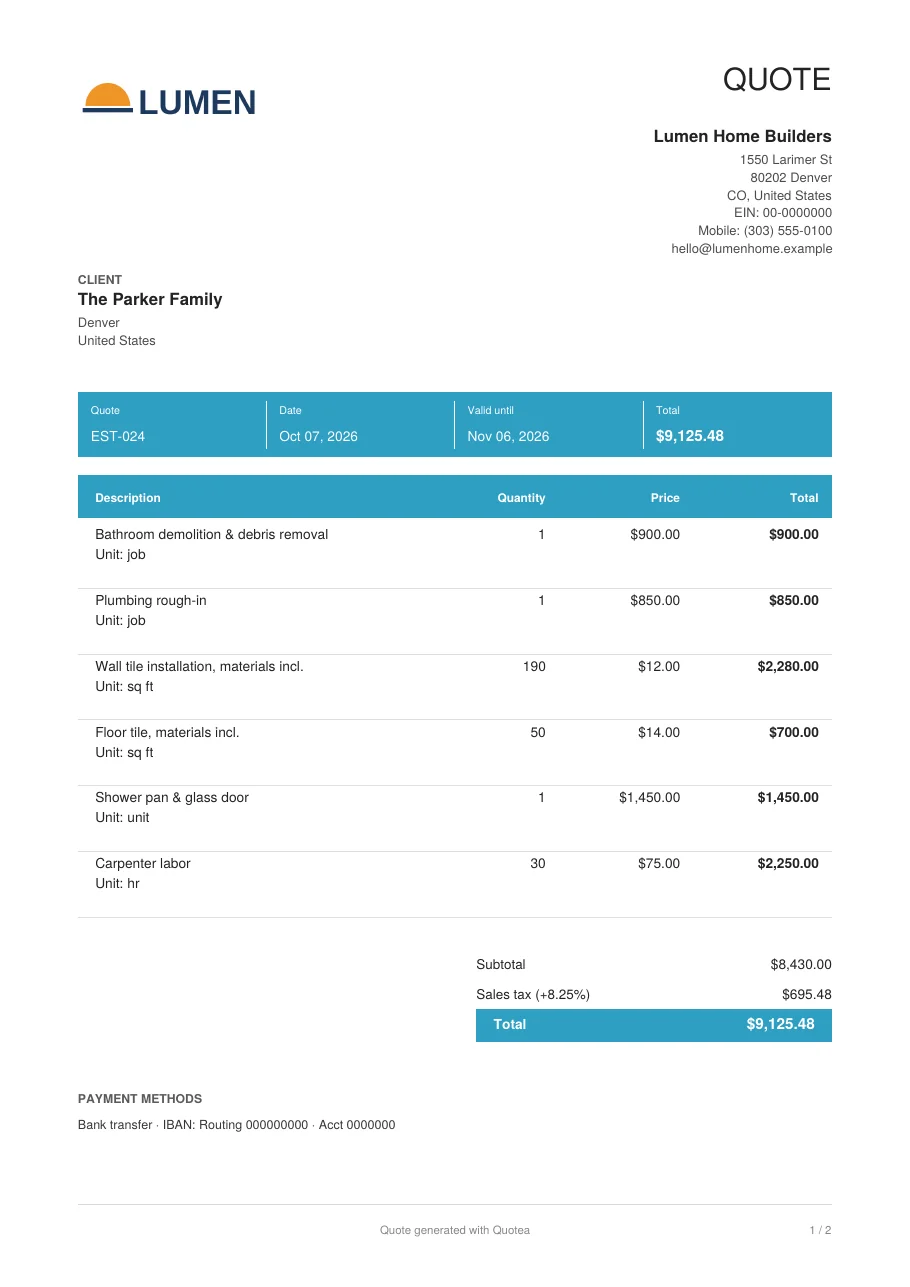
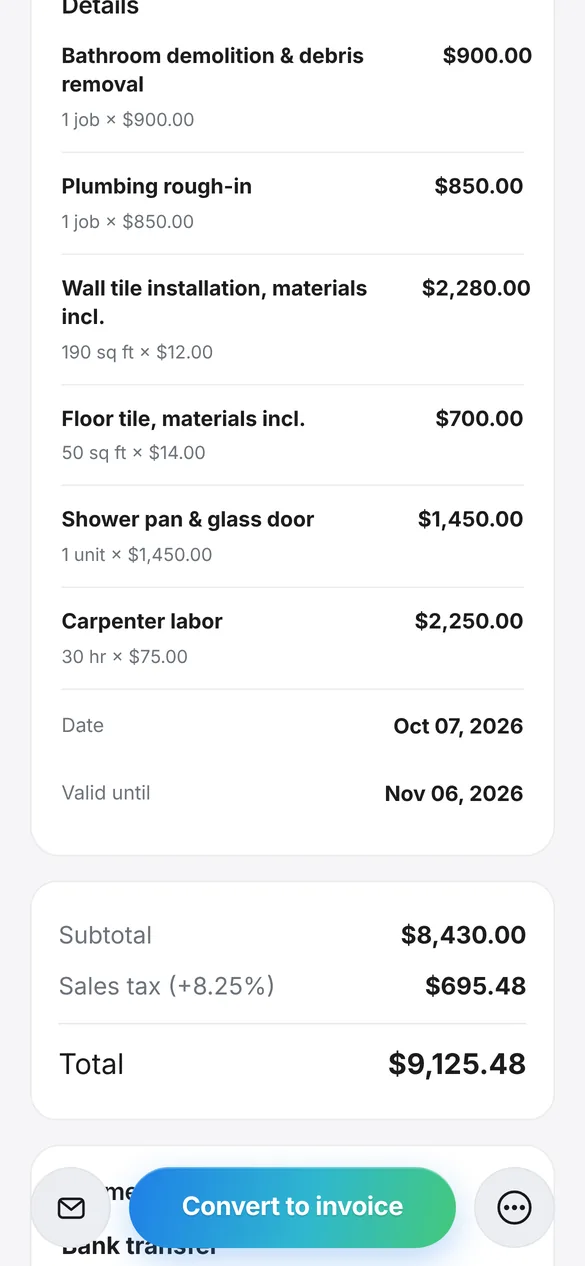
Example: full bathroom remodel
An estimate created with Quotea with six lines, tile priced by the square foot and labor by the hour.
| Item | Qty | Rate | Amount |
|---|---|---|---|
| Bathroom demolition & debris removal | 1 job | $900.00 | $900.00 |
| Plumbing rough-in | 1 job | $850.00 | $850.00 |
| Wall tile installation, materials incl. | 190 sq ft | $12.00 | $2,280.00 |
| Floor tile, materials incl. | 50 sq ft | $14.00 | $700.00 |
| Shower pan & glass door | 1 unit | $1,450.00 | $1,450.00 |
| Carpenter labor | 30 hr | $75.00 | $2,250.00 |
| Subtotal | $8,430.00 | ||
| Sales tax (8.25%) | $695.48 | ||
| Total | $9,125.48 | ||
Fictional data. Screenshot and PDF generated with the real app.
How to estimate a remodel with Quotea
Walk the job and measure
Take measurements and photos of the existing conditions.
Add the line items
Pull them from your saved items or type them in with unit and rate.
Add notes and terms
Schedule, deposit and any allowances.
Send it and get it signed
By text, email or WhatsApp, or signed on your screen.
Invoice at the end or in stages
Convert the estimate into an invoice or issue one invoice per payment.
Frequently asked questions
Can I break an estimate into line items by trade?
Yes. Every line can be its own trade or phase with a unit, quantity and rate, and you can save it to reuse later.
Can I price by the square foot?
Yes. Use whatever unit you need (sq ft, linear ft, each, hours or job) and Quotea works out the amount.
How do I bill a project in stages?
Convert the estimate into an invoice at the end, or create separate invoices for the deposit and each progress payment.
Can my client sign the estimate?
Yes. They can sign with a finger on your phone and the signature is added to the PDF.
Can I reuse an estimate from another job?
Yes. Duplicate a previous estimate and change only what’s different.
Estimate your next remodel from your phone
Download Quotea free and save the line items you use most.
Available now for iPhone and iPad. Android coming soon.