
Quotea for Android: invoicing on your phone, coming soon to Google Play
We’re building the Android version of Quotea with the same tools freelancers and contractors already use on iPhone. Here’s how it will work.
Quotea for Android isn’t available yet. We’ll update this page as soon as it’s on Google Play.
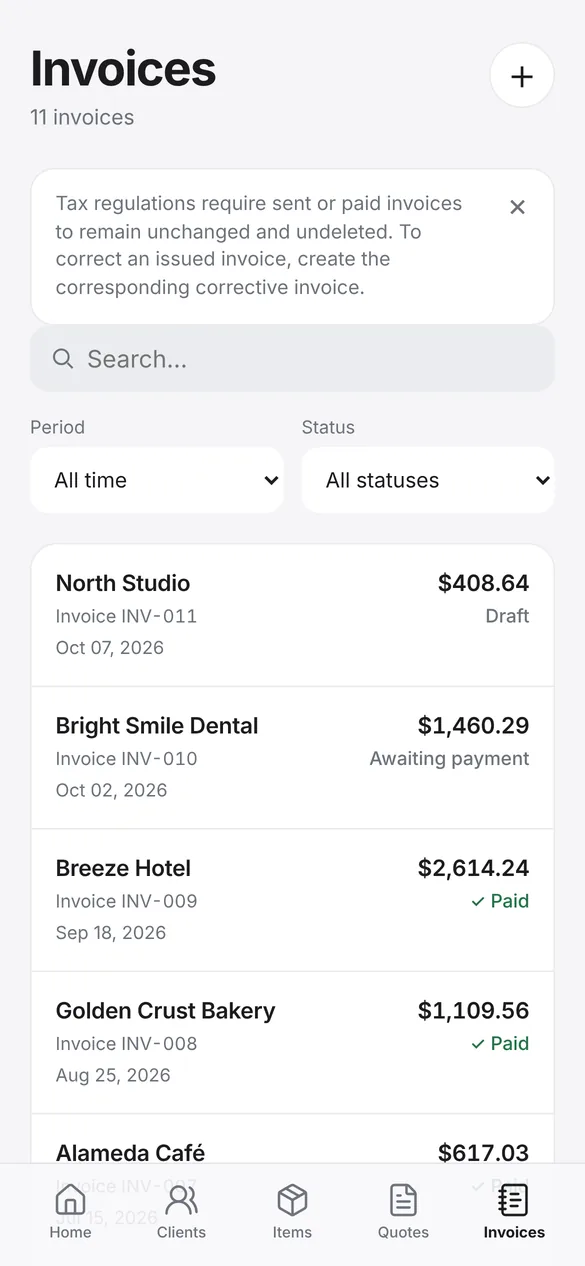
The same Quotea, on your Android phone
The Android version shares its foundation with the iPhone app: create estimates and invoices, generate the PDF on your phone, send it by email or WhatsApp, and keep track of payments and reports.
A few things change to fit Android: backups use your phone’s Google backup or a file you save wherever you like, and subscriptions are managed through Google Play.
What Quotea for Android will include
- PDF estimates and invoicesWith six templates, your logo, your signature and your payment options.
- Customers and itemsSave customers, products and services to reuse them.
- Email and WhatsAppShare the PDF with a ready-made message or from any app.
- Payments and reportsBilling by quarter, payments by month and a statement for each customer.
- Google backupAndroid can include Quotea’s data in your phone’s Google backup, if you have it turned on.
- Backup to a fileCreate a file with all your data, photos and signatures and keep it in Google Drive or another service to restore whenever you need.
- Subscriptions through Google PlayPaid plans will be purchased and managed from your Google Play account.
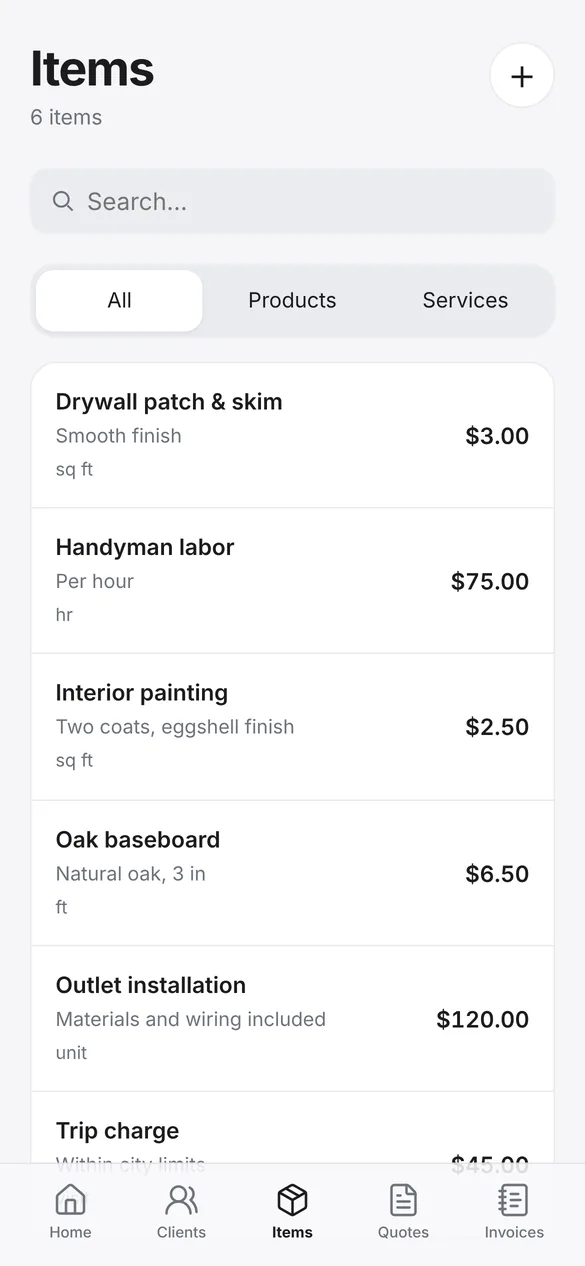
What your saved items look like
Keep your products and services with their rates and add them to any estimate or invoice in one tap. It’s the same screen iPhone users already have.
How invoicing on Android will work
Download Quotea from Google Play
Once it’s published. You’ll be able to start for free.
Set up your business
Business details, logo and payment options.
Create the invoice
From an approved estimate or from scratch.
Share the PDF
By email, WhatsApp or any app.
Record the payment
And see what’s outstanding in your reports.
Frequently asked questions
When will Quotea be available on Android?
We don’t have a confirmed date yet. We’ll update this page as soon as it’s on Google Play.
Will it have the same features as the iPhone app?
The core is the same. Some features depend on the platform: on iPhone backups go to iCloud and there’s a widget; on Android backups use Google backup or a file.
Will it be free to start?
Yes. Just like on iPhone, you’ll be able to start using Quotea for free.
Will my data sync between iPhone and Android?
No. Quotea stores data on each device and doesn’t have a cloud account that syncs several phones yet.
Quotea for Android is coming soon
In the meantime, if you have an iPhone or iPad you can download it from the App Store.